1
Upload one real photo
Use a clear, daytime shot of the yard you want to redesign. A straight-on angle that shows the house, boundaries, and the open ground gives the AI the most to work with on your first free credit.
Free AI landscape design
AI Yard Planner gives every new account 5 free starter credits, and one yard preview uses one credit. That is enough to honestly test the tool on your own photo before deciding whether to add credits. It is free to start, not unlimited free, so the smartest move is to spend those first 5 previews on the directions you actually care about.
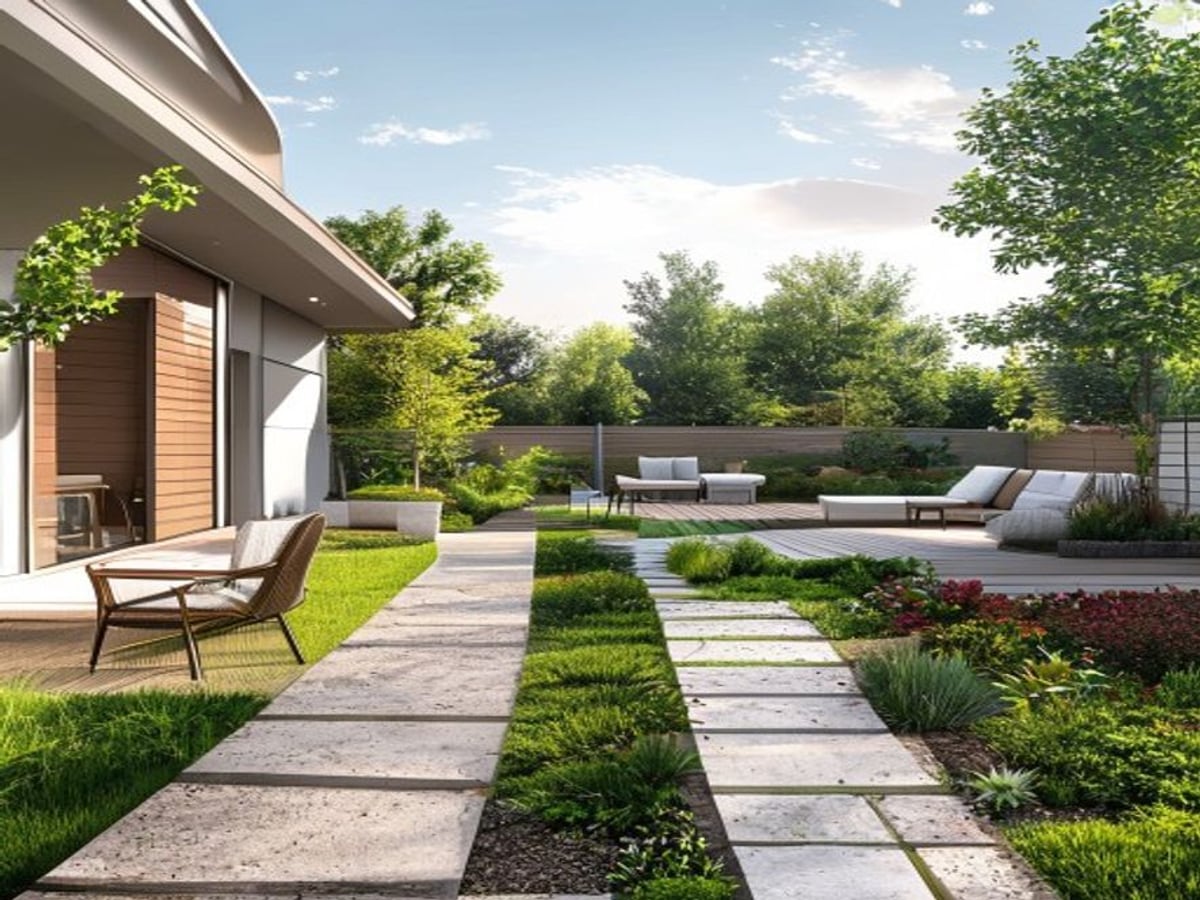
Here is the honest answer up front. AI Yard Planner is free to try: a new account starts with 5 credits, and each preview you generate costs one credit. So with the free tier you can create about 5 landscape concepts from your own yard photo before you ever pay anything. After that, you buy more credits as you need them. There is no unlimited free plan, and any tool that promises infinite free AI image generation is usually either watermarking heavily, throttling you, or quietly charging later.
The free credits are best used as a test, not a finished design. 5 previews is enough to answer the real question: does this tool understand my yard and give me usable direction? Pick one clear goal first, generate a couple of variations on it, and you will learn far more than spreading five credits thinly across five unrelated ideas.
Everything the AI produces is a visual concept, not a construction document or permit drawing. It shows you a believable look for plants, paving, and layout, but it does not size footings, route drainage, or confirm what survives your climate. Treat the free previews as a conversation starter for your own planning or for a contractor, and keep the local checks below in mind before anyone digs.
How it works
Use a clear, daytime shot of the yard you want to redesign. A straight-on angle that shows the house, boundaries, and the open ground gives the AI the most to work with on your first free credit.
Choose a single direction such as a low-water front yard, a cozy patio, or a planted garden bed. Committing to one goal makes every free credit count instead of producing five unrelated guesses.
Spend a credit, look at the result, then spend one more on a variation of the same idea. Comparing two takes on one goal is the fastest way to judge whether the tool is worth more credits.
Save the concept you like and check it against your climate zone, drainage, sun, and any permit or HOA rules before building. The preview points the direction; local facts decide what is buildable.
Five credits means roughly five previews, or two or three solid variations on one idea with room to retry. It is meant for testing whether photo-based design helps your yard, not for producing a complete multi-area master plan.
The free tier and paid credits generate the same kind of concept. Paying does not unlock a smarter model; it simply buys more previews so you can explore more directions or refine the one you chose. Pricing is on the pricing page.
The planner is tuned for yards, gardens, patios, and curb appeal rather than interiors, so your free previews stay focused on landscape direction instead of generic room makeovers.
What changes, what stays
Before you build
A concept can show a thriving bed, but plants only survive within their USDA Plant Hardiness Zone. Before buying anything, confirm your zone and swap any species that will not overwinter where you live. Native plants in your region usually need less water and feed local pollinators.
If your area sees drought or watering limits, lean toward xeriscape: drought-tolerant and native species, grouped by water need, with mulch or gravel to cut evaporation. EPA WaterSense guidance shows water-smart landscaping can meaningfully reduce outdoor water use, which is often the largest part of a summer bill.
The most common reason a redesign fails is water. Soil should slope away from the foundation, and large paved or gravel areas change where rain goes. Permeable pavers and gravel drain better than solid concrete. Get grading right before you commit to a layout, because a beautiful concept over a drainage problem is expensive to undo.
Costs swing hard by region and material. As a rough sense of scale only, a planted bed refresh can run a few hundred dollars, while a built patio with footings can reach several thousand. Hardscape, retaining walls, and anything near utility lines may need a permit or HOA approval and a call to locate buried lines. Confirm these locally; the concept image does not.
What to test
AI Yard Planner is strongest when it helps you compare visual directions. Before building, check climate, utilities, drainage, grading, permits, and plant availability.
Trusted references
Independent sources worth reading before you commit to plants, grading, or materials:
Questions
It is free to start. New accounts get 5 free credits, and one preview uses one credit, so you can create about 5 landscape concepts at no cost before deciding whether to add more credits.
No. There is no unlimited free plan. Unlimited AI image generation would be costly to run and would push quality down, so the tool uses starter credits instead, then paid top-ups. Any service claiming truly unlimited free generation is usually watermarking or throttling.
There is no quality difference. Free and paid credits produce the same type of concept. Paying simply gives you more previews so you can explore more directions or refine your chosen one. See the pricing page for credit options.
Pick one clear goal or style first, then spend your credits on variations of that single idea instead of five unrelated ones. Two or three takes on one direction tell you far more about whether the tool fits your yard.
The planner keeps your selected options and prompts you to add credits from the pricing page before generating more previews. Nothing you set up is lost.
No. Every preview is a visual concept, not a construction document or permit drawing. Use it for direction, then verify climate, drainage, grading, plant survival, and permits locally before building.
Keep exploring
See credit packs and what your free previews unlock next.
Turn a backyard photo into patio, planting, and layout concepts.
Redesign the front yard for curb appeal and low-water planting.
Plan planting beds and garden direction from a single photo.
How photo-based redesign works across any outdoor space.
See real yard photos turned into design concepts.
How AI Yard Planner compares for outdoor design tasks.
AI Yard Planner