1
Upload one photo
Use a clear daylight photo taken from the spot where you usually stand or sit. Even, indirect light and a wide angle help the AI read the existing layout, fence line, and grade.
AI backyard design
Backyard searches usually start with a real problem: the yard feels empty, the patio does not work, privacy is weak, or the planting has no structure. AI Yard Planner turns one daylight photo of your backyard into clear visual directions you can compare, react to, and take to a landscaper before committing money.
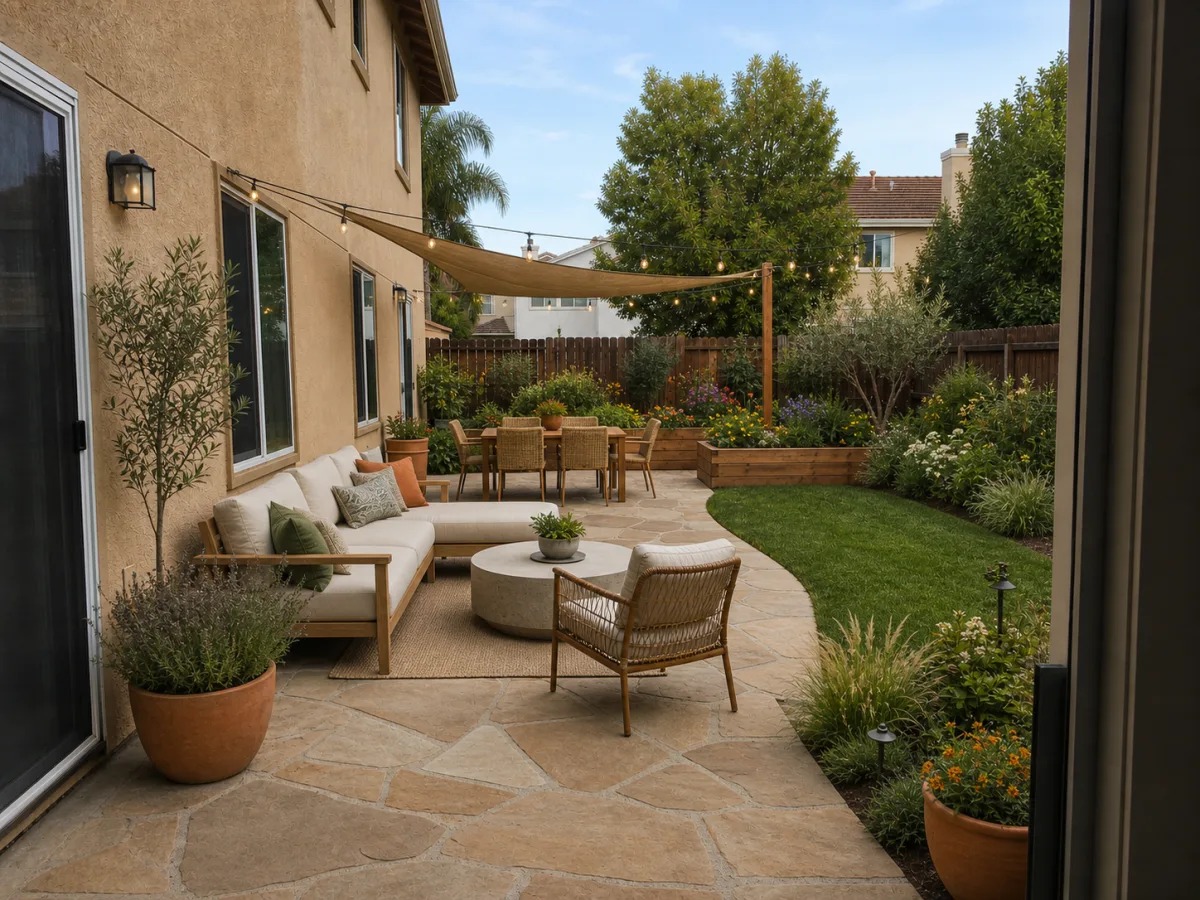
AI backyard design is a way to test outdoor living ideas on a photo of your own yard instead of guessing. You upload one clear backyard photo, choose a goal such as a patio, more privacy, or lower-maintenance planting, and get back side-by-side concepts that keep your house, fences, and large trees recognizable.
Treat the result as a visual concept, not a construction document. It is excellent for narrowing direction and aligning a household, but it does not measure your slope, locate buried utilities, confirm drainage, or replace a permit. The most useful approach is simple: generate a direction you like, then verify the practical details locally before you build.
How it works
Use a clear daylight photo taken from the spot where you usually stand or sit. Even, indirect light and a wide angle help the AI read the existing layout, fence line, and grade.
Choose what matters: an outdoor-living patio, a privacy screen, a low-maintenance planting plan, or a family-friendly lawn. Add notes like keep the existing patio or keep the back fence.
Generate two or more concepts and compare them side by side: patio-first vs planting-first, open lawn vs layered beds, gravel vs permeable paving for paths.
Take the concept you like to a local landscaper or your county extension office to confirm plant choices, drainage, setbacks, and a real cost estimate for your region.
Define how the yard is actually used. A dining zone near the door, a fire or lounge zone further out, and a working zone for tools or a garden each want different surfaces and light. Test seating, paver areas, shade, and planters while the doors, fence, and major trees stay recognizable.
Privacy planting depends on sun and how fast a screen needs to fill in. A west or south fence bakes in afternoon sun and suits tougher evergreens; a shaded north side needs shade-tolerant species. Fast growers close gaps in a couple of seasons but demand more pruning, while slower, denser evergreens take longer yet stay tidy.
Lawn is cheap to install but thirsty and time-hungry; planting beds with mulch cut water and mowing once established; permeable paving or gravel removes maintenance but sheds or infiltrates water differently. Compare where open lawn earns its keep and where beds or surfaces would reduce upkeep and improve drainage.
What changes, what stays
Before you build
A concept cannot see how water moves across your yard. Soil should slope away from the house roughly a quarter inch per foot for the first several feet. Heavy clay drains slowly, so beds and paving may need amended soil, a French drain, or a permeable surface. If you currently get standing water or a wet basement, solve grading before adding patios or beds.
Trees and large shrubs need room. As a rough guide, keep large trees at least 15 to 20 feet from the foundation and avoid planting over septic fields, water lines, or the area above buried utilities. Always call your national dig-safe line before digging post holes or trenches. The AI will not know where your lines run.
Match plants to your USDA Plant Hardiness Zone, your soil, and your sun. Native and drought-tolerant (xeriscape) choices generally use less water, support pollinators, and need less spraying once established. A native plant finder or your local cooperative extension can confirm what actually thrives where you live before you buy.
Fence height, structures, and front-facing changes are often capped by HOA rules or local zoning setbacks, and a tall privacy fence may need a permit. Confirm the rules before building. As a rough, region-dependent guide, planting beds run lower while patios, decks, and grading work cost far more; treat any concept as direction, not a quote.
What to test
AI Yard Planner is strongest when it helps you compare visual directions. Before building, check climate, utilities, drainage, grading, permits, and plant availability.
Trusted references
Independent sources worth reading before you commit to plants, grading, or materials:
Questions
Yes, as long as the photo shows the main layout. Clear daylight photos help the AI preserve fixed elements and propose more realistic planting, path, and patio changes.
No. The result is a visual concept, not a quote. Use it to narrow direction, then price materials and labor with a local pro, since costs vary widely by region and material.
Yes. Add a note such as keep the existing patio or keep the current fence when you generate the preview, and the AI will work the new ideas around it.
It suggests a planting look, not a verified plant list. Check your USDA hardiness zone and your local extension office or a native plant finder before buying, so the planting actually survives your winters and soil.
No. It is a concept image to align your household and brief a designer. It does not measure your slope, locate utilities, confirm drainage, or replace permits and engineered drawings.
Keep exploring
Reimagine the front yard, entry path, and street-facing planting.
Plan planting beds, borders, and a structured garden layout.
Focus on patio surfaces, seating zones, and outdoor dining.
Boost first impressions before listing or refreshing the home.
Start exploring outdoor directions without paying upfront.
See how a single yard photo becomes a usable design reference.
Browse before-and-after concepts across real yards.
AI Yard Planner