1
Upload your bed
Take a straight, well-lit photo of the empty bed, border, or tired planting you want to redo. Include the edges so the planner understands the available footprint.
AI garden design
Most garden searches start with the same questions: what goes where, how dense should the planting be, and how much weeding will it cost you all summer? Upload a photo of your bed or border and AI Yard Planner returns a visual garden direction — plant masses, bed shape, and seasonal color — then flags exactly what you still need to confirm for your zone, soil, and sun.
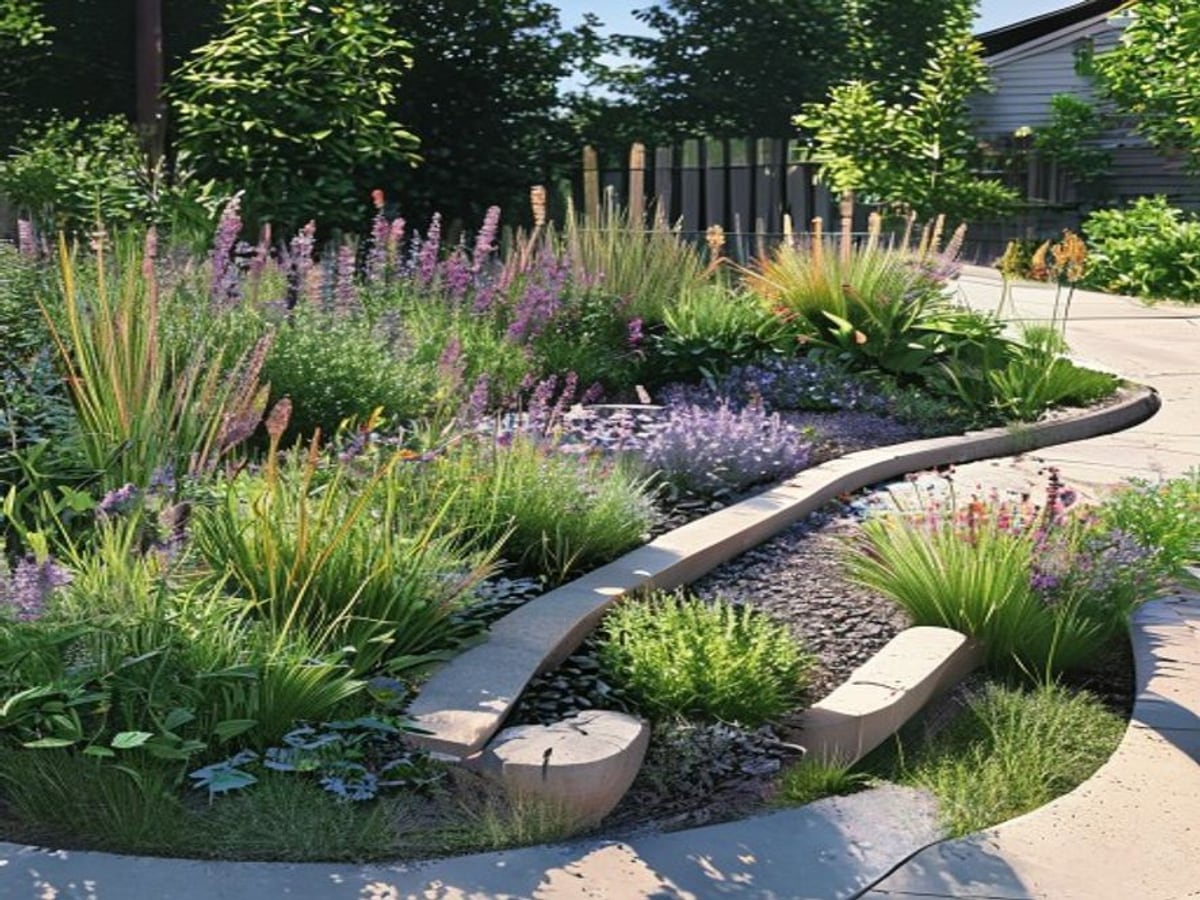
AI garden design tools are best treated as a fast way to see layout and planting density before you spend money at the nursery. Give the planner a clear photo of the bed and a goal — pollinator garden, low-maintenance perennials, or cottage border — and it shows you a believable arrangement of masses, heights, and color so you stop guessing on graph paper.
The honest limit: the output is a visual concept, not a horticultural prescription. It cannot read your USDA hardiness zone, measure your sun hours, or test your drainage. Use it to lock in structure and a plant palette, then swap in species that actually survive where you live.
The biggest payoff is placement. Most failed beds are not failed plants — they are good plants spaced for the nursery pot instead of the mature plant, or sun-lovers tucked into shade. Seeing the layout first makes those mistakes obvious before they cost you a season.
How it works
Take a straight, well-lit photo of the empty bed, border, or tired planting you want to redo. Include the edges so the planner understands the available footprint.
Choose a direction such as native pollinator garden, low-maintenance perennials, or seasonal cottage color, and add notes like 'full sun' or 'deer pressure' in the optional field.
Review the generated planting layout — plant masses, heights, bloom color, and bed shape. Generate a second version to compare a low-water design against a flower-heavy one.
Take the layout to your zone, sun map, and soil reality. Match each mass to species that fit your hardiness zone, mature size, and water needs, then shop the nursery with a plan.
Preview plant masses, anchor shrubs, mid-height perennials, ornamental grasses, and groundcover before you commit to individual species — so the bed reads as a designed composition, not a one-of-each collection.
See how to layer early, mid, and late-season bloomers so the bed carries color from spring bulbs through fall asters instead of peaking for two weeks and going flat.
Compare a low-maintenance native planting — repeated masses, mulch, and durable edges — against a higher-touch cottage border, so you choose the workload you actually want, not the one the photo seduces you into.
What changes, what stays
Before you build
A garden lives or dies by climate fit. Check your USDA Plant Hardiness Zone (it sets which perennials survive winter) and honestly count sun hours: 'full sun' means 6+ hours, 'part shade' is 3–6. A concept full of sun-loving coneflowers placed in a north-facing shade bed will simply fail, no matter how good the layout looks.
Regionally native perennials are adapted to local soil and rainfall, so they typically need less water and feeding once established, and they support far more native bees and butterflies than ornamentals. Tools like the National Wildlife Federation's Native Plant Finder and the Xerces Society's pollinator lists let you substitute the concept's masses with species that actually feed local wildlife.
The most common bed-design error is spacing plants by how they look in a one-gallon pot. A perennial sold at 8 inches may spread to 3 feet; a 'small' shrub can hit 6 feet. Lay out for mature spread so plants knit together in two or three seasons instead of crowding, shading each other out, or leaving bare gaps you fill with weeds.
Amend soil and confirm the bed drains before planting — most perennials rot in waterlogged ground. Mulch (2–3 inches of bark or wood chips) suppresses weeds and holds moisture, while gravel or permeable surfaces shed water faster for dry-climate plantings. Also avoid invasive species: check your state Cooperative Extension before planting anything aggressive, since some sold at big-box stores are banned or escape into wild areas. A starter bed runs roughly a few hundred to a couple thousand dollars depending on size, plant maturity, and soil work — a rough range, not a quote, and highly regional.
What to test
AI Yard Planner is strongest when it helps you compare visual directions. Before building, check climate, utilities, drainage, grading, permits, and plant availability.
Trusted references
Independent sources worth reading before you commit to plants, grading, or materials:
Questions
It gives planting direction — masses, heights, and color — but final species should be checked against your hardiness zone, sun hours, soil, mature size, water needs, and local availability. Treat it as a design starting point, not a plant list.
Yes. Choose the native garden goal and describe pollinator intentions in the notes. Then cross-reference the layout with a native plant finder so the masses map to species that actually support bees and butterflies in your region.
Yes. The low-maintenance direction favors repeated plant masses, native perennials, mulch or gravel fill, durable edges, and simpler layouts — the choices that cut weeding and watering once a bed is established.
It is a visual concept to guide layout and palette, not a horticultural prescription or construction document. Verify zone, sun, soil, drainage, and any invasive-species rules with your local Cooperative Extension before you plant.
Keep exploring
Reimagine the whole backyard, from lawn to gathering zones.
Plan a welcoming, low-maintenance front-yard planting.
Frame a patio with beds, borders, and container planting.
Boost first impressions with foundation and entry plantings.
Turn any outdoor photo into a full landscape direction.
Start exploring garden and yard ideas at no cost.
Browse before-and-after garden and yard concepts.
Compare plans for more previews and higher-resolution saves.
AI Yard Planner