Yard planning guide
How to Photograph Your Yard for AI Landscape Design
Learn how to photograph your yard so AI landscape design keeps real constraints and returns concept images you can actually use.
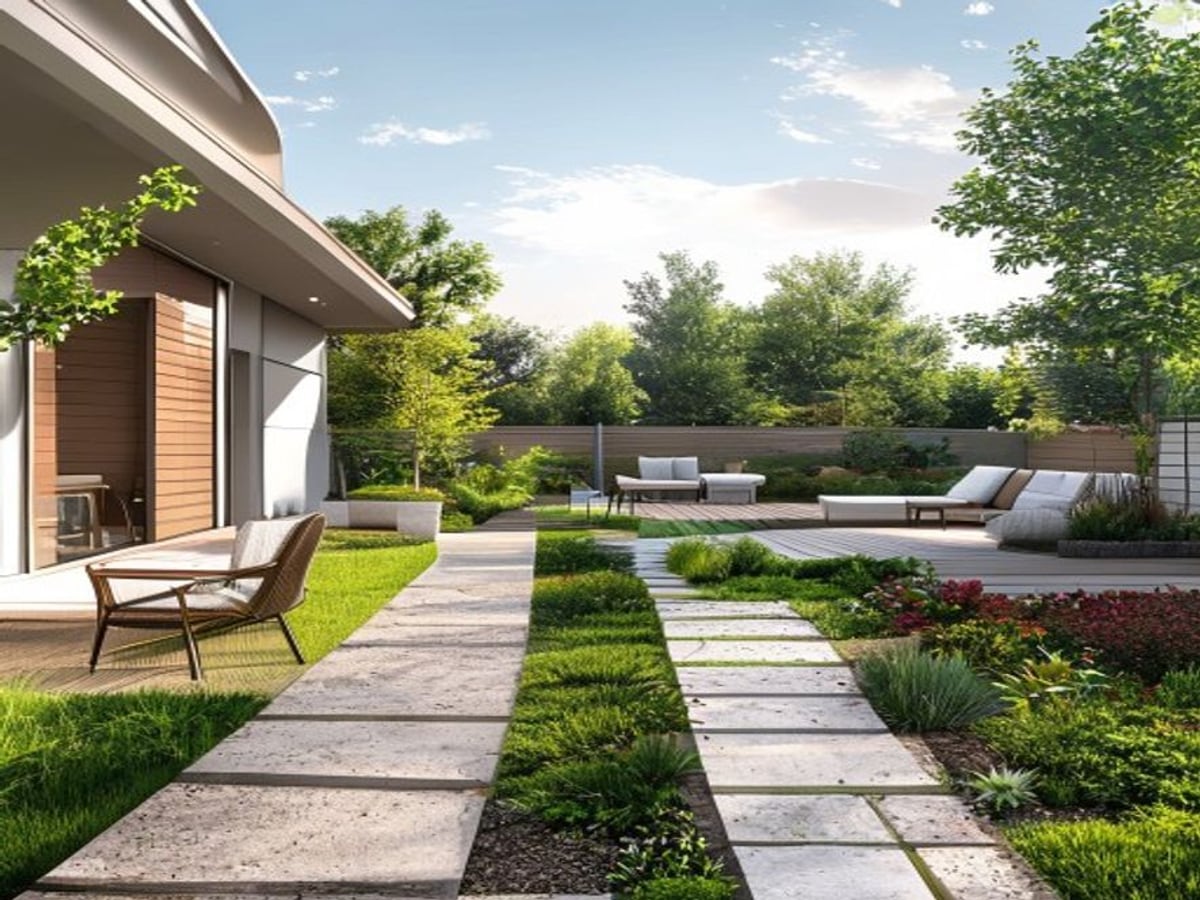
The single biggest factor in whether AI landscape design from a photo returns something useful is the photo you feed it. Here is the short answer: shoot your yard in soft, even daylight, stand back far enough to capture the whole space at chest height, keep the camera level, and make sure the permanent features — house wall, fence, mature trees, paths, and driveway — are clearly in frame. Do that and the AI has the real edges, scale, and light it needs to return a concept image that respects your actual yard instead of inventing a generic one. Get the photo wrong — backlit, tilted, cropped too tight, shot at night — and even the best tool will give you something pretty that ignores your fence, your slope, or your drainage.
This guide walks through exactly how to take that photo, why each choice matters to the AI, and where the whole approach breaks down so you do not waste time on shots that will never work.
Why the photo matters more than the prompt
When you upload a yard photo, the AI is not redesigning your property from a tape measure and a survey. It is reading pixels. Everything it knows about your yard — how big it is, where the boundaries sit, where the sun falls, what is permanent and what is movable — comes from what your camera captured. A vague, dark, or tilted photo forces the model to guess, and guesses are where unrealistic results come from: a patio drawn over your driveway, a tree dropped where your shed actually stands, a lawn that ignores the slope draining toward your foundation.
A clean photo, by contrast, gives the AI hard anchors. The fence line tells it where your property stops. The house wall tells it scale and orientation. A mature tree tells it what cannot move. When those anchors are sharp and well lit, the redesign stays inside your real constraints, and the concept becomes something you can actually take to a contractor or build toward yourself.
Think of it this way: you are not just taking a picture, you are handing over a set of rules. The clearer the picture, the clearer the rules.
Step-by-step: photographing your yard for AI
1. Shoot in soft, even light
The best times are mid-morning, the golden hour before sunset, or any moment under a bright but overcast sky. Soft light flattens harsh shadows so the AI can read grass, paving, mulch, and plant foliage as distinct surfaces. Hard midday sun creates black shadow pockets under trees and along fences, and the model tends to interpret those dark zones as empty or featureless — exactly the areas you most want it to redesign accurately.
Overcast days are quietly the secret weapon here. A flat gray sky acts like a giant softbox, lighting every corner of the yard evenly with no blown-out highlights or crushed shadows. If you only get one chance to shoot, an overcast day beats harsh sun almost every time.
2. Stand back and shoot at chest height
Walk to the far edge of the usable space and back up until the entire area you care about fits in the frame with a little margin around it. Hold the camera at roughly chest height and keep it pointed straight ahead, not angled steeply down. Shooting from too high (over your head, or from a balcony looking down) flattens the yard into a map and strips out the vertical sense of fences, walls, and planting beds that the AI needs to place new elements convincingly.
Chest height matches how a person actually stands in the space, which is also how you will judge the result later. It keeps proportions honest.
3. Include fixed reference objects for scale
This is the step most people skip, and it matters more than any other. Deliberately frame the permanent, immovable features:
- The house wall and back door — sets scale and orientation.
- The fence line or property boundary — tells the AI where the yard ends.
- Mature trees — large, established trees are usually staying, so the model should design around them.
- Paths and the driveway — fixed circulation the redesign must respect.
- A person, chair, or standard door — anything of known real-world size acts as a built-in ruler.
Without these references, the AI has no way to know whether your lawn is twelve feet or forty feet across, and it will scale plants and hardscape arbitrarily. With them, it can size a new patio or planting bed to fit. For a deeper look at how the tool uses these anchors, see our guide on AI landscape design from a photo.
4. Avoid backlight and harsh shadows
Keep the sun behind you or off to the side, never aimed into the lens. Backlight turns your yard into a dark silhouette against a bright sky, and the AI loses all the surface detail it needs. If the sun is low and you cannot reposition, wait twenty minutes or come back at the opposite time of day. The same applies to deep shade: a yard that is half blazing sun and half black shadow reads as two unrelated zones, and the redesign will be inconsistent across that line.
5. Keep the horizon level
Line up a fence top, the roofline, or the base of a wall with the grid lines in your camera app (turn the grid on — it is free and it works). A tilted frame makes flat ground look sloped and makes a real slope harder for the AI to interpret. Since slope drives drainage and where water goes, a level photo is not just about looking neat — it helps the concept stay grounded in your real terrain.
6. Capture multiple angles
Take one wide establishing shot that shows the whole yard, then move to two or three different corners and shoot from each. Multiple viewpoints let you compare how the AI handles the same space from different sides, and they help it keep fixed elements — doors, windows, the shed, the drainage path — consistent. If one angle produces a concept you love but it misreads a corner, another angle often fixes it. Shooting several frames also costs nothing and gives you options to choose from later.
7. Shoot at native wide, not maximum zoom-out
Use your phone’s standard (1x) lens or a gentle wide setting. The temptation with a small yard is to switch to the ultra-wide (0.5x) lens to fit everything in, but ultra-wide optics bend straight lines: your fence bows, your house wall curves, and the AI inherits that distortion. If you must go wider, step back further on the 1x lens first. A slightly tighter, undistorted frame beats a warped panorama every time.
How light and weather change what the AI sees
Different conditions genuinely change how well the redesign turns out. This table summarizes what to expect and how to adapt.
| Condition | What the AI sees | Result quality | What to do |
|---|---|---|---|
| Bright overcast | Even light, every surface readable | Best — clean, consistent concept | Just shoot; this is ideal |
| Golden hour (sun behind you) | Warm, soft, directional light | Very good, flattering | Keep sun at your back |
| Harsh midday sun | Blown highlights, black shadow pockets | Mixed — shadowed zones misread | Wait, or come back later |
| Backlit (sun toward lens) | Dark silhouette, lost detail | Poor — surfaces unreadable | Reposition or reshoot |
| Overcast and dim / dusk | Low contrast, muddy color | Weak — vague boundaries | Increase exposure or wait |
| Night | Almost no surface detail | Fails — nothing to read | Do not use; reshoot in daylight |
| Rain on the lens | Smeared, distorted frame | Poor — distortion baked in | Dry the lens, shoot dry |
The pattern is consistent: anything that reduces readable surface detail or adds distortion lowers the quality of the concept. Soft, even, dry daylight wins.
A note on wide angles and distortion
There is a real trade-off with wide lenses. A wider field of view fits more of a cramped yard into one frame, which sounds helpful. But the wider you go, the more the lens curves straight edges near the frame’s borders — and yards are full of straight edges (fences, walls, paths, raised beds). When the AI sees a curved fence, it may “correct” it in unpredictable ways or build the redesign on top of the distortion.
The practical rule: prefer your phone’s main 1x lens and solve framing by physically backing up. Reserve the ultra-wide only for yards so enclosed you genuinely cannot step back far enough — and even then, take a second 1x shot of the most important corner so you have an undistorted reference.
Why fixed reference objects are worth the extra effort
It is tempting to crop out the “boring” house wall or the chain-link fence to make a prettier photo. Resist that. Those boring elements are the load-bearing information. The house wall is your scale ruler and orientation marker. The fence is your legal and physical boundary. A mature tree is a fixed point the design has to work around. Strip them out and the AI is designing in a vacuum, free to invent a yard that is the wrong size and ignores what is actually there.
If you want a quick mental checklist before you press the shutter: can I see where the yard ends, can I see something of known size, and can I tell which way the house faces? If yes to all three, your photo has the anchors it needs.
Why shooting multiple frames pays off
Comparing several photos is the closest thing to a free quality boost. Two reasons. First, the AI may interpret a tricky corner differently from each angle, so you can pick the version that got it right. Second, side-by-side concepts make it far easier to spot when a result has quietly ignored a constraint — a patio that overlaps the driveway jumps out the moment you compare it to the angle where the driveway is obvious. Take the wide shot, take the corners, then choose. The few extra minutes outdoors save a lot of frustration later.
Once you have strong photos, you can move from documenting your yard to planning it. Try uploading your best shot to the AI Yard Planner and compare a couple of concepts before you commit to a direction. And if you are gathering ideas for what to actually build, our roundups of low-maintenance backyard landscaping ideas and front-yard curb appeal on a budget pair well with whatever the concept suggests.
Match your plants and plan to your real conditions
A good photo gets you a good concept image, but a concept is a starting point, not a planting plan. Before you buy anything, ground your choices in your actual site. Your USDA hardiness zone determines which plants will survive your winters — check yours with the official USDA Plant Hardiness Zone Map. If you want plants that support local wildlife and generally need less fuss once established, the NWF Native Plant Finder lists species native to your area, and the Xerces Society pollinator resources are excellent for choosing pollinator-friendly options.
If water use or your bill is a concern, the EPA WaterSense landscaping tips cover smart plant grouping and irrigation. As a rough, region-dependent guide to costs (these are ballpark ranges, not quotes — local labor, material, and site conditions vary widely):
| Element | Rough cost range (US, materials + typical install) | Notes |
|---|---|---|
| Native perennials / grasses | $8–$25 per plant | Cheaper from local nurseries in spring |
| Mulch (bulk) | $30–$60 per cubic yard | Suppresses weeds, holds moisture |
| Gravel path | $5–$15 per square foot | DIY-friendly, low maintenance |
| Concrete or paver patio | $15–$40 per square foot | Bigger labor share; get local quotes |
| Mature shade tree | $150–$600 per tree | Larger specimens cost much more |
These are directional only. Always price against local suppliers before budgeting.
When this does not work
Photographing your yard for AI design has clear limits, and it is fairer to name them than to pretend the tool is magic.
- Night or near-dark yards. With almost no surface detail, the AI has nothing to read. Always shoot in daylight.
- Rainy or wet-lens shots. Water droplets and glare smear the frame, and the distortion gets baked into the result. Dry the lens and wait for dry conditions.
- Heavily obscured yards. If snow covers the ground, overgrowth hides the beds, or construction clutter fills the space, the AI cannot see the real yard underneath. Clear what you can or wait for a clearer season.
- Very deep or oddly shaped lots. A single photo cannot capture a long, narrow, or L-shaped yard. Shoot it in sections and design zone by zone rather than expecting one frame to cover everything.
- Decisions that need real measurements. Drainage grading, retaining walls, setbacks, and anything structural depend on on-site data the photo does not contain.
Most importantly, remember what the output actually is. The AI returns a visual concept image — a way to see possibilities and communicate a direction. It is not a construction drawing, a survey, or a permit document. Before you build, verify the real-world constraints a photo cannot: drainage and how water flows, sun and shade orientation across the day, slope and grading, utility lines, and your local permit requirements. Treat the concept as inspiration to refine with a contractor or local extension office, not as an engineered plan.
For the full journey from photo to finished concept, see our guide on AI landscape design from a photo.
FAQ
What time of day should I photograph my yard for the best AI results?
Mid-morning, the golden hour before sunset, or any time under a bright overcast sky. These give soft, even light so the AI can read every surface clearly. Avoid harsh midday sun, which creates deep shadow pockets, and never shoot with the sun pointed into your lens. If you can only pick one condition, a bright overcast day is the most forgiving.
Should I use my phone’s wide-angle lens to fit the whole yard in?
Prefer the standard 1x lens and back up physically to fit more in. The ultra-wide (0.5x) lens bends straight lines like fences and walls, and that distortion confuses the AI and can show up in the redesign. Use ultra-wide only when a yard is so enclosed you truly cannot step back, and pair it with a normal 1x shot of the key corner.
Why does the AI need my fence and house in the photo?
Those fixed features are how the AI understands scale and boundaries. The house wall sets orientation and size, the fence marks where your yard ends, and mature trees mark what cannot move. Without them, the model has no sense of how big your space is or where its edges are, so it scales plants and hardscape arbitrarily and may design beyond your real property.
Is the AI image a real plan I can build from?
No. It is a visual concept image meant for inspiration and communicating a direction, not a construction drawing, survey, or permit. Before building, verify drainage, sun and shade orientation, slope, utilities, and local permit rules on site — ideally with a contractor or your local extension office. Use the concept to refine ideas, not as an engineered plan.
How many photos should I take?
At least one wide establishing shot plus two or three angles from different corners of the yard. Multiple viewpoints let you compare how the AI handles the same space, help keep fixed elements consistent, and make it easy to spot when a result has ignored a constraint. It costs nothing extra and gives you options to choose from.